
NEW Shots, transcripts and MP4 clip export

Find any moment in your videos. Just describe it.

FrameSeek is AI video search for creators. Search every frame you’ve shot by what it looks like, read and search what was said, and turn the moment you find into a clip.

Free plan, no card Runs in your browser Your library stays private

See your content differently

Best matches for “golden hour light”3 shots · Best matches first
94% VISUAL04:12
Countryside b-rollShot 3
91% VISUAL11:38
City walk – day 2Shot 4
86% VISUAL00:47
Drone – ridge lineShot 5
The problem

You remember what it looked like. Not where it is.

Hours of footage, file names like IMG_4821.MOV, and a timeline you have to drag through frame by frame. Folders and tags only find what someone thought to write down. FrameSeek searches the content itself.

How it works

From upload to clip in four steps.

  1. 01

    Import your videos

    Drop in MP4, MOV or WebM files, several at a time. Uploads keep going in the background while you work.

  2. 02

    We index every frame

    FrameSeek samples frames, groups them into shots and transcribes the speech. A live progress bar shows where each video is.

  3. 03

    Describe the moment

    Type what you remember, like “golden hour on the beach”. The best matches across your library come back first.

  4. 04

    Clip and export

    Open the result at the exact frame, pick the shot or fine-tune the range, and export an MP4.

What you can do

A creative workspace built around search.

Everything happens in one place: your library, the player, the transcript and the clip editor.

Visual search in plain words

Describe a scene, an object, a colour, a mood or an action. FrameSeek compares your words with every indexed frame and ranks the best matches first, grouped by video and shot. Press ⌘K from anywhere.

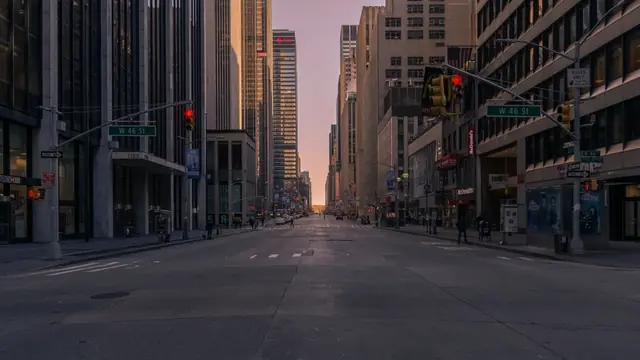
neon signs at night hands typing on a laptop a dog running on grass warm sunset
Shots, not a wall of frames

Consecutive frames that look alike are grouped into shots. Browse a video shot by shot, jump between them, and clip a whole shot in one click.

Searchable transcripts

Speech is transcribed automatically. Find any word or phrase, click the line, and the player jumps there.

Clip export to MP4

Trim with timeline handles or exact timecodes, preview, and export clips of up to two minutes. Saved clips stay with the video.

A library that stays tidy

Folders, status filters, title search, grid or list views. Search inside a single video when you already know where to look.

Private by default

Your library is visible only to you. Media is served through short-lived signed links. We don’t sell your data, show ads, or train AI models on your videos, and you can delete videos or your whole account at any time.

Read the privacy policy
Who it’s for

For anyone sitting on more footage than they can remember.

YouTubers and vloggers

Pull b-roll from old uploads and raw days without rewatching them.

Video editors

Find the shot the client described in seconds, then hand back a clip.

Podcasters and social teams

Search the transcript for the quote, cut it, and post it.

Explore use cases

Pricing

Free to start. Room to grow.

The Free plan includes 5 GB of storage and 50 visual searches a month, with every feature switched on. Pro and Pro Max with more storage and searches are coming soon.

Free

Available now
5 GBVideo storage
50Searches a month
  • Natural-language visual search
  • Shots, transcripts and in-video search
  • MP4 clip export (up to 2 minutes)
  • Folders, filters and a private library
FAQ

Questions, answered.

What is FrameSeek?

FrameSeek is an AI video search app. Instead of scrubbing through hours of content, you describe what you remember, like “golden hour on the beach”, and FrameSeek finds where it happens across all your videos.

How do I find a specific moment in a video?

Import the video into FrameSeek and wait for processing to finish. Then type a description of the moment into search. Results are ranked by how well they match and open the video at the exact frame.

Can FrameSeek search what people say?

Visual search matches what appears on screen. Speech is transcribed automatically: open a video’s Transcript tab to read it, find any word or phrase, and jump to that point in the video.

What video formats are supported?

MP4, MOV and WebM, up to 500 MB per video. You can import several at once, and uploads keep going while you work elsewhere in the app.

Can I cut clips from my videos?

Yes. Pick a shot or set in and out points with timeline handles or exact timecodes, preview the selection, and export an MP4 of up to two minutes. Saved clips stay in the video’s Clips panel to download later.

What are shots?

FrameSeek groups consecutive frames that look alike into shots. You browse and clip a video shot by shot instead of frame by frame, and search results are grouped the same way.

Is FrameSeek free?

Yes. The Free plan includes 5 GB of storage and 50 visual searches a month. If you run out, you can request 10 more searches up to three times a month. Pro and Pro Max with more storage and searches are coming soon.

Are my videos private?

Yes. Your library is visible only to your account, media is served through short-lived signed links, and FrameSeek doesn’t sell your data, show ads, or train AI models on your videos. You can delete videos or your whole account at any time.

Do I need to install anything?

No. FrameSeek runs in your browser at app.frameseek.in. Sign in with your Google account to get started.

A little less searching. A little more creating.

Find the moment. Make the thing.

Sign in with Google and search your first video in minutes. Free plan, no card.